


Smartphone Myths Debunked: The Truth Revealed

In today’s fast-paced digital world, smartphones have become an indispensable part of our daily lives. Yet, despite their widespread use, many misconceptions and myths continue to circulate about their functionality, battery life, and privacy features. This article aims to debunk some of the most common smartphone myths, providing you with accurate information to help you better understand and utilize your device. We’ll delve into topics ranging from the accuracy of battery percentages and the real impact of Bluetooth on battery life, to the truth about IP ratings, blue light glasses, benchmark scores, and the often-misunderstood Incognito Mode.
Bluetooth and Battery Drain: The Truth
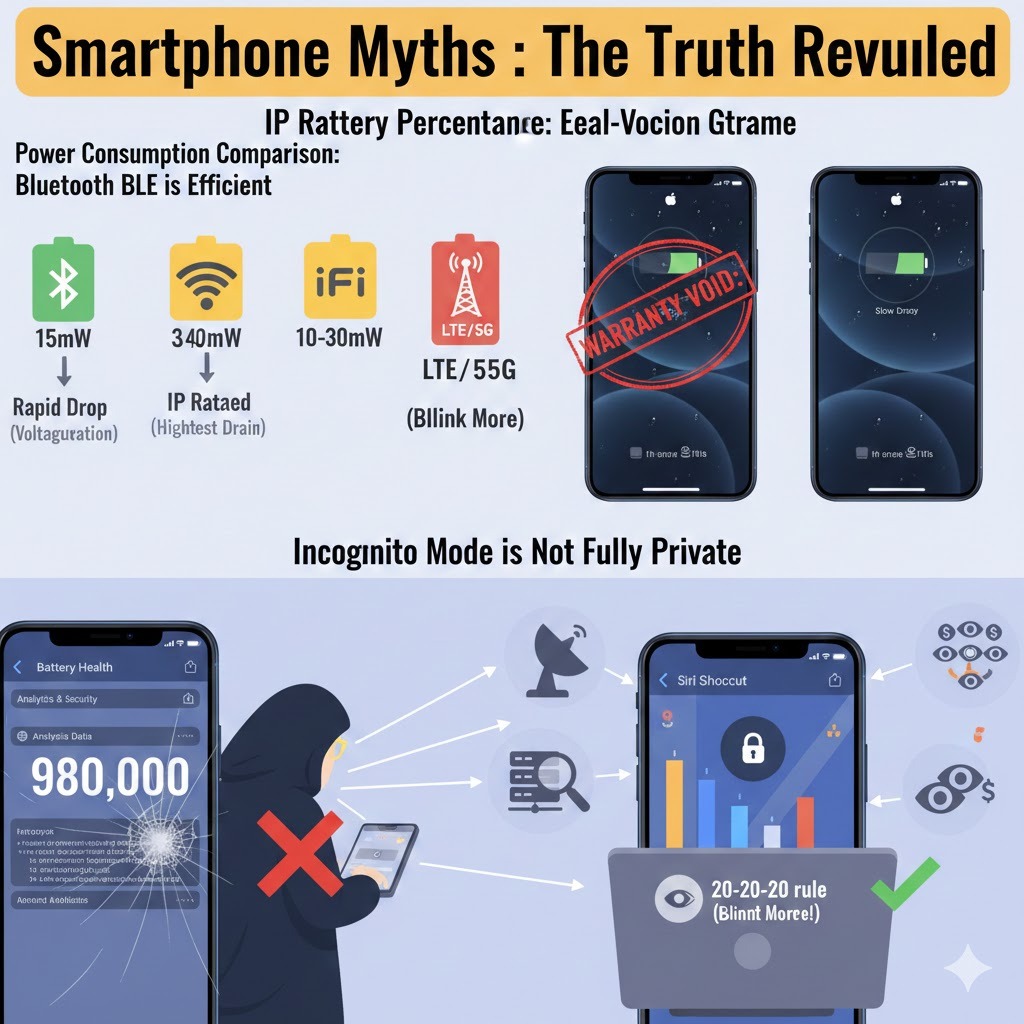
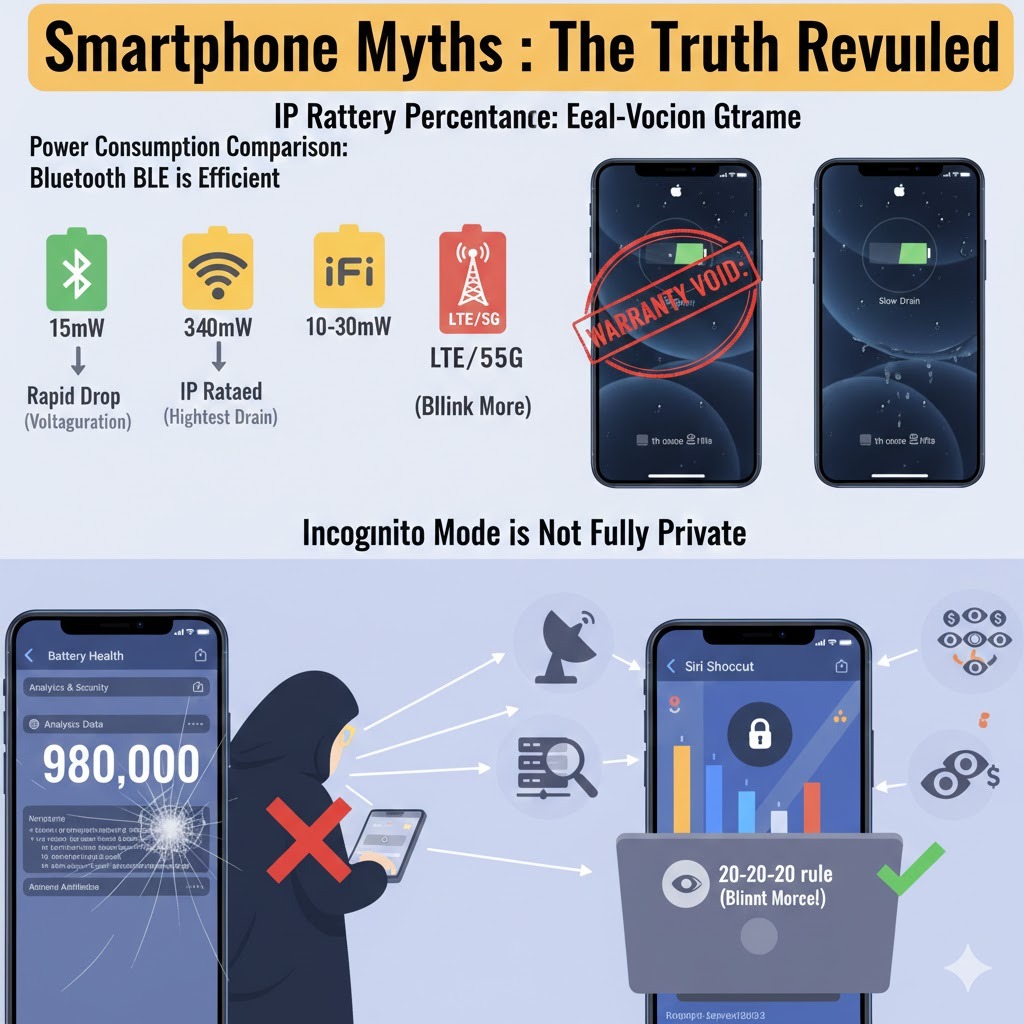
One of the most persistent myths is that keeping Bluetooth enabled constantly drains your phone’s battery. This belief stems from the early days of Bluetooth technology, when its power consumption was indeed significant. However, modern smartphones utilize Bluetooth Low Energy (BLE), which is designed to be incredibly power-efficient. Unlike older versions, BLE consumes significantly less power, making the impact on your battery life almost negligible. In fact, Bluetooth uses only about 1mW of power, whereas Wi-Fi can consume 10-30mW, and LTE/5G data can use even more. The notion that Bluetooth is always actively scanning for connections is also largely outdated; it typically only scans when you activate your screen or navigate to Bluetooth settings. In reality, your SIM card, especially if you’re using dual SIMs, often consumes far more battery power than modern Bluetooth.
Is Your Battery Percentage Accurate?
Many smartphone users have observed that their battery percentage seems to drain slowly from 50% to 40% but then drops rapidly in the last 10%. This phenomenon often leads to questions about the accuracy of the displayed battery percentage. The truth is, the battery percentage shown on your phone is an estimate, primarily based on voltage readings, rather than a precise measurement of the remaining charge. Batteries are complex chemical systems, and their charge level is influenced by various factors like chemical reactions, temperature, and age. Your phone’s software uses sophisticated algorithms to predict battery life, but these predictions are never 100% accurate. Therefore, while the indicator provides a general idea, it’s wise not to rely on it as an absolute measure of your battery’s remaining capacity.
IP Ratings Don’t Guarantee Waterproofing
The presence of an IP (Ingress Protection) rating on a smartphone often leads consumers to believe their device is completely waterproof. However, this is a common misconception that can lead to costly damages. While an IP rating indicates a degree of resistance to dust and water, it does not guarantee immunity from water damage. Manufacturers typically do not cover water damage under warranty, even for IP-rated phones. Many brands explicitly state this exclusion in their terms and conditions. Furthermore, IP tests are usually conducted in controlled laboratory environments using fresh water; exposure to saltwater, chlorinated water, or dirty water can still cause significant damage to your device. Some companies also perform their IP rating tests internally rather than relying on independent agencies, which can sometimes lead to less stringent evaluations.
The Truth About Blue Light Glasses
In recent years, blue light glasses gained immense popularity, with many believing they offered a solution to eye strain caused by prolonged screen use. However, scientific evidence suggests that these glasses do not significantly reduce eye strain. A study published on PubMed, involving 120 individuals, compared a group wearing blue light glasses with a group wearing standard glasses and found no measurable difference in eye strain between them. The primary culprits behind digital eye strain are prolonged screen time, poor posture, and, most importantly, a lack of blinking. When we focus intently on screens, we tend to blink less frequently, leading to dry eyes and discomfort. According to the American Academy of Optometry, blue light from screens is not inherently dangerous to your eyes during the day. However, blue light exposure at night can disrupt melatonin production, thereby affecting sleep quality. In this specific scenario, blue light glasses or activating your phone’s Night Mode can be beneficial. To combat eye strain, follow the 20-20-20 rule: every 20 minutes, look at something 20 feet away for 20 seconds.
Benchmark Scores Don’t Reflect Real-World Performance
Many prospective phone buyers heavily rely on benchmark scores to gauge a smartphone’s performance. While benchmarks offer a quantitative measure of a device’s raw processing power, they often don’t accurately reflect real-world performance. Benchmark tests push a phone’s hardware to its absolute limits, running highly demanding tasks that don’t typically mirror everyday usage. A high benchmark score doesn’t automatically translate to a consistently smooth and responsive user experience. Factors such as UI optimization, the efficiency of the operating system, battery health, and the speed of internal storage (e.g., UFS 3.1 vs. UFS 2.1) play a more significant role in how a phone feels during daily tasks. Furthermore, there have been instances where some brands have been accused of manipulating benchmark results, artificially inflating scores to appear more powerful. For a more reliable assessment, it’s advisable to look at real-world usage reviews and personal experiences rather than solely trusting benchmark numbers.
How to Check Your Phone’s Real Battery Health
The battery health indicator found in your phone’s settings is often an estimate and may not always provide the most accurate information. While it gives you a general idea, to get a true understanding of your battery’s actual health and cycle count, you might need to dig a little deeper, especially for Apple devices. For iPhones, you can access more detailed battery analytics data. By navigating to Settings > Privacy & Security > Analytics & Improvements and then opening Analytics Data, you can find the most recent log file. Within this log file, specific data related to your battery’s health and charge cycles is recorded. Using a dedicated Siri Shortcut or third-party tools can help you extract and interpret this raw data to reveal your battery’s true capacity and degradation, offering a more precise reading than the simplified percentage displayed in the settings.
Incognito Mode is Not Fully Private
The belief that using Incognito Mode or Private Browsing offers complete online anonymity is one of the most widespread and potentially misleading myths. While Incognito Mode does provide a certain level of privacy, it is far from being a foolproof solution against online tracking. Its primary function is to offer local privacy, meaning it prevents your browsing history, cookies, and temporary site data from being saved on your device after you close the session. This is useful for preventing other users of your device from seeing your activity or for logging into multiple accounts simultaneously without interfering with your main session. However, Incognito Mode does not prevent websites, advertisers, your Internet Service Provider (ISP), or network administrators from tracking your online activities.
Even when browsing Incognito, your IP address remains visible to websites and ISPs, allowing them to monitor your online movements. Moreover, if you log into any online account (e.g., Google, Facebook, Twitter) while in Incognito Mode, those services will continue to track your activity, effectively negating any perceived privacy benefits from the mode itself. Another sophisticated tracking method is Digital Fingerprinting, where websites collect unique details about your device—such as processor type, operating system, browser version, screen resolution, and installed fonts—to create a unique digital profile that can identify you even if you delete cookies. This technique is commonly used for targeted advertising, fraud prevention, and analytics, allowing websites to track users without their explicit consent.
To truly protect your online privacy, you need to employ more robust strategies. Consider using a Virtual Machine (VM) like VirtualBox, which creates a separate, isolated environment for your browsing activities, adding a significant layer of security between your online presence and your main system. Using a reliable Virtual Private Network (VPN) like ProtonVPN is crucial, as it encrypts your internet traffic and masks your IP address, making it extremely difficult for websites and ISPs to track your activity. Additionally, opting for privacy-focused browsers such as Brave, Tor, or Firefox, which come with built-in features to block trackers and digital fingerprinting, can greatly enhance your online anonymity. Some browsers, like Firefox, also offer options to randomize or hide certain device details to further counter fingerprinting. Ultimately, safeguarding your privacy online requires a combination of smart tools and cautious online behavior; never assume Incognito Mode provides complete anonymity.
FINAL THOUGHT
The world of smartphones is constantly evolving, and with it, the myths and misunderstandings surrounding them. From the actual power consumption of Bluetooth to the limitations of IP ratings and the true scope of Incognito Mode’s privacy features, separating fact from fiction is essential for making informed decisions about your device usage. By understanding these truths, you can better manage your smartphone’s battery, protect it from damage, ensure your online privacy, and optimize your overall digital experience. Stay aware, browse smart, and remember that critical thinking is your best tool in navigating the complexities of modern technology.